
In general, there are no individual prices at picdrop, but a transparent price structure for our affordable plans. You can view this in our plans overview: https://www.picdrop.com/web/pricing
If you need a quote for one of our plans or are interested in an Enterprise plan, please send us an e-mail to hello@picdrop.com with the key data of your planned usage and we will gladly create the corresponding quote document for you.
We would be happy to provide you with a formal quote for your desired plan at picdrop. Simply send us an e-mail to hello@picdrop.com. Tell us your desired plan and the address details to which you’d like us to issue the quote and we’ll create and send the corresponding document for you directly.
We are happy to help you book an Enterprise plan and set up your account according to your wishes with the appropriate number of team members and storage.
To book an Enterprise plan, please send us an e-mail to hello@picdrop.com with the key details of your planned usage. We will then quickly provide you with the corresponding price or create the corresponding quote if required.
Just like individual terms of delivery, we cannot sign individual DPAs from our customers, but offer you our DPA to sign in return. We always ensure that our DPA complies with current standards and is regularly legally reviewed and revised.
You can find our DPA in the account preferences of your picdrop account. However, if you need it before creating an account, we will be happy to help you with a blank version for viewing at hello@picdrop.com. Unfortunately, individual changes to our DPA are not possible for individual users.
In the account preferences of your picdrop account, you can enter a customer reference in addition to the billing address. We will then be happy to take this into account and show it on your invoice.
Important to know: This information must be entered in your account BEFORE we create an invoice so that we can show it on your invoice. So please remember to enter the order number for your picdrop plan in your account in beforehand. Thank you!
As a small team and company, picdrop does not (yet) have a formal certification to a specific standard, as a certification process is currently beyond the capacity of our team.
But don’t worry, we do of course have carefully established internal processes for all relevant topics that we at picdrop follow strictly. You can find more detailed information in our privacy policy, our terms and conditions and the DPA, which is available for signing in every account.
In order to keep the billing effort as low as possible for both you and picdrop, we currently support payment by direct debit or credit card. If it is not possible for your company to pay your picdrop plan using one of these payment methods under any circumstances, please contact us at hello@picdrop.com. We can’t promise anything, but we are of course always interested in finding a good solution for everyone involved.
All relevant points are already regulated fairly and in accordance with applicable standards in our GTC, our privacy policy and our AVV. Unfortunately, we cannot confirm or sign your terms and conditions for suppliers, as these may conflict with our terms and conditions, which you must accept when registering at picdrop and booking a plan for your account.
As a small team of 20 people, it is unfortunately not possible for us to make exceptions to this, as reviewing individual delivery conditions and contractual regulations takes up a lot of time, which we rather invest in our product for you.
You can find the AVV in the account preferences of your account, where you can also conclude it yourself. If you would like to check it before creating your account, or if it is even a prerequisite for opening an account in your company, we will be happy to help you with a blank version for viewing at hello@picdrop.com.
Here’s why:
For technical and security reasons, the email address of a deleted account remains blocked for 30 days. During this time, no new access can be created or invited using the same email address.
What can you do?
Not sure if someone’s access is still active? Just drop us a message at hello@picdrop.com – we’re happy to help!
What is the Content Search in picdrop?
The Content Search is our new AI-powered search feature in picdrop, and it helps you find images in your account super fast based on content and meaning — not just file names and galleries.
The Content Search is optional and disabled by default, and it is only available in the Advanced, Business and Enterprise plan.
How can I enable the Content Search for my account?
If you have a Business plan, simply open your account settings and go to the Content Search section. There, you can enable the feature by clicking the “Enable Content Search” toggle.
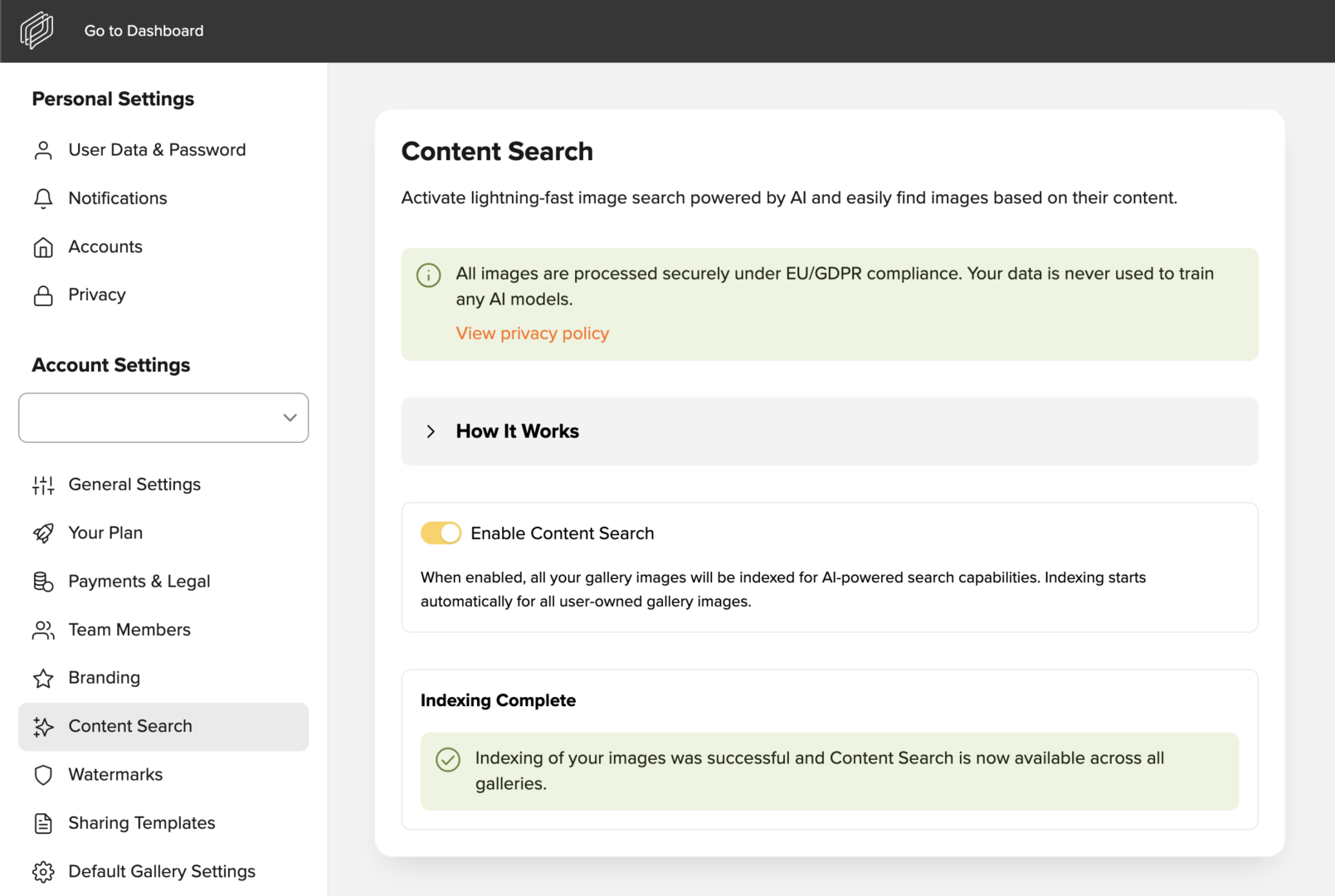
What exactly happens with my data when I use the Content Search in picdrop?
After activating the Content Search in your account settings, the indexing of all images in your account starts. A model analyzes what can be seen in your images — for example, people or objects. This visible content is then translated into a mathematical description so that the images can be searched quickly and specifically later on.
Important: Of course, all data is processed securely and in compliance with EU regulations and the GDPR. Image content is analyzed exclusively on EU servers controlled by picdrop. Your data, image content, and search queries are not used to train or further develop AI models. You can find more information on that in our Privacy Policy.
Using the Content Search:
Once you’ve enabled the Content Search for your account and the indexing of your data is complete, you can search your account using Content Search.
It’s easy — just click the magnifying glass icon in the bar at the top right of the screen. From there, enable the Content Search for your search and select the desired Result Accuracy.
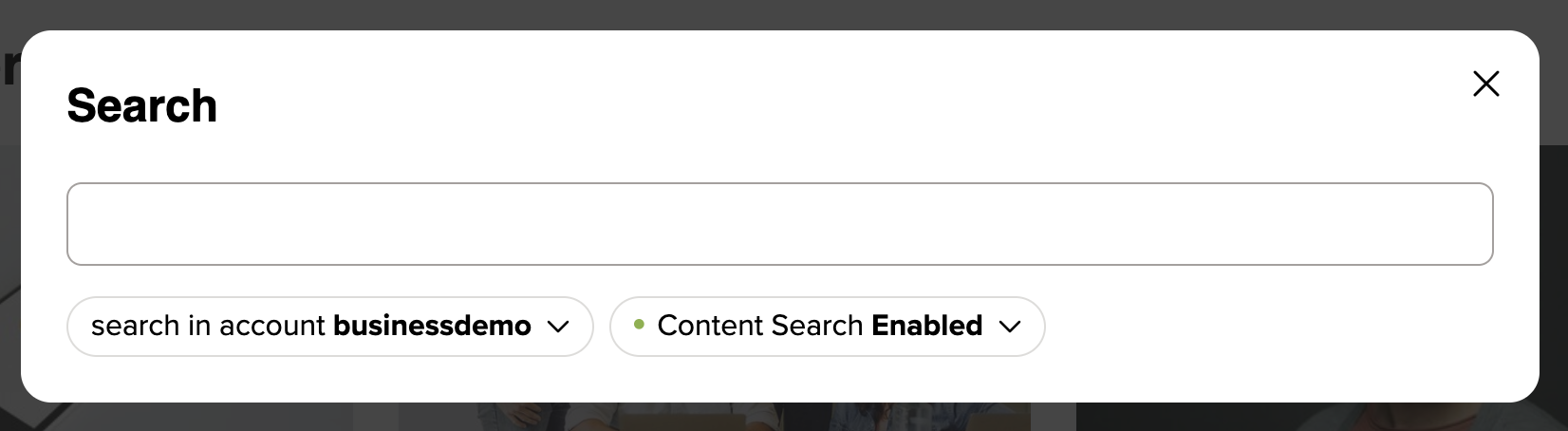
Simply enter a search term, and the Content Search will compare it with the stored image information and then display matching images.
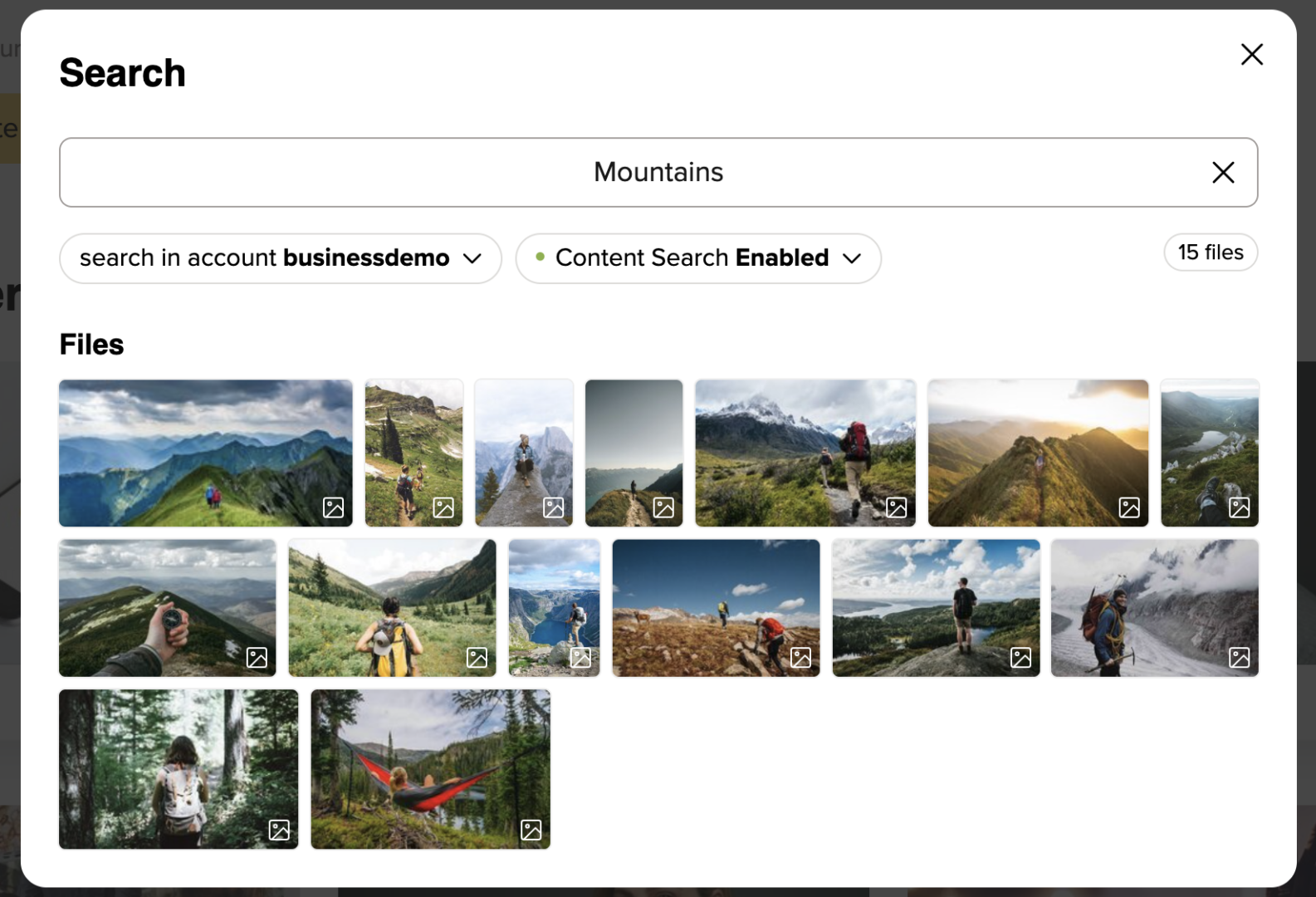
Here are a few quick tips:
The Result Accuracy setting determines how closely the recognized image content must match your search term for an image to appear in the results. With low Result Accuracy, there will also be images included whose content only vaguely resembles your search term. With high Result Accuracy, on the other hand, only images whose recognized content is super close to your search term will be displayed. EXIF and IPTC data are not taken into account in the Content Search.
You can also use the search function to download search results in bulk or add them directly to a collection. We’ll explain how to do this here.
I no longer want to use the Content Search in my account. How can I disable it?
You can disable the Content Search for your account at any time by going to your account settings and turning off the “Enable Content Search” toggle in the Content Search section. If you disable the Content Search for your account, we will automatically delete all data generated during indexing after 30 days.
You want to upload your images directly from the camera to your picdrop gallery and you need your shots in picdrop as fast as possible? Then our new Live Push feature is perfect for you.
What is the Live Push feature in picdrop?
With Live Push, images can be transferred directly from a camera to your picdrop account via FTP (FTPS). While you’re shooting, your images are automatically uploaded into a selected gallery. Live Push can be used to receive images from external photographers without sharing your picdrop login credentials — or to connect your own camera(s) directly to galleries in picdrop. The FTP access you create for this is restricted to uploading into the configured gallery only.
Where can I find the Live Push feature in picdrop?
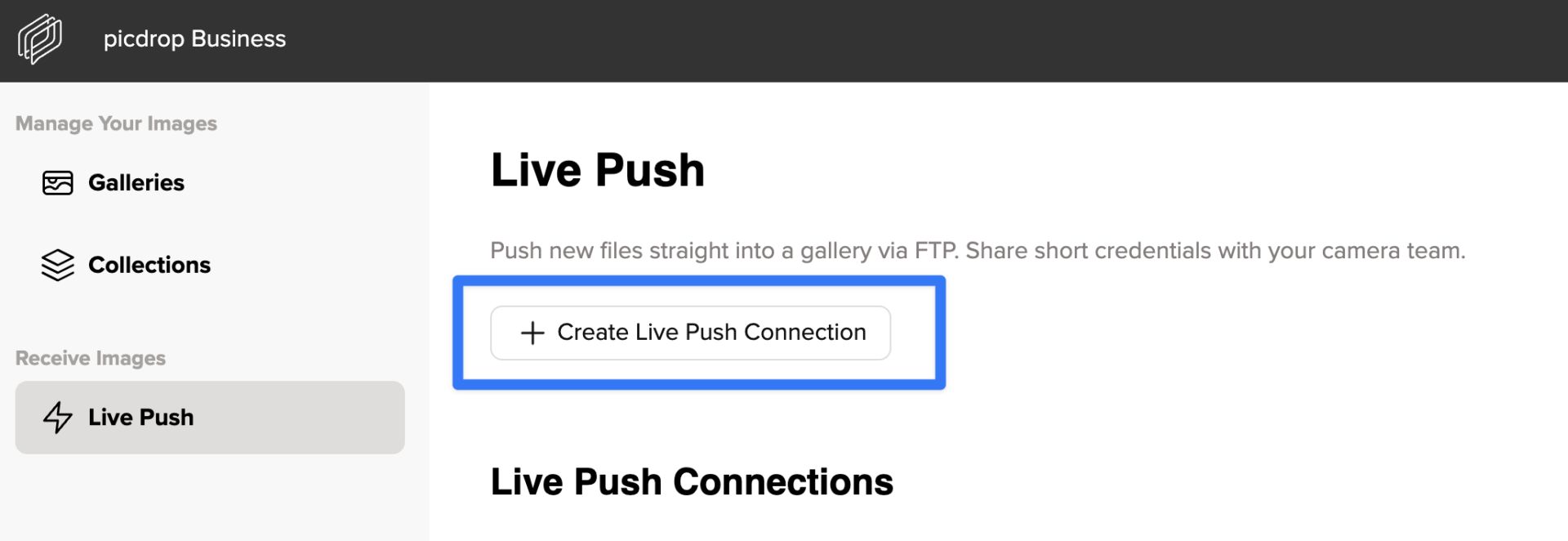
You can create and manage Live Push connections via the gallery overview in the “Live Push” section.
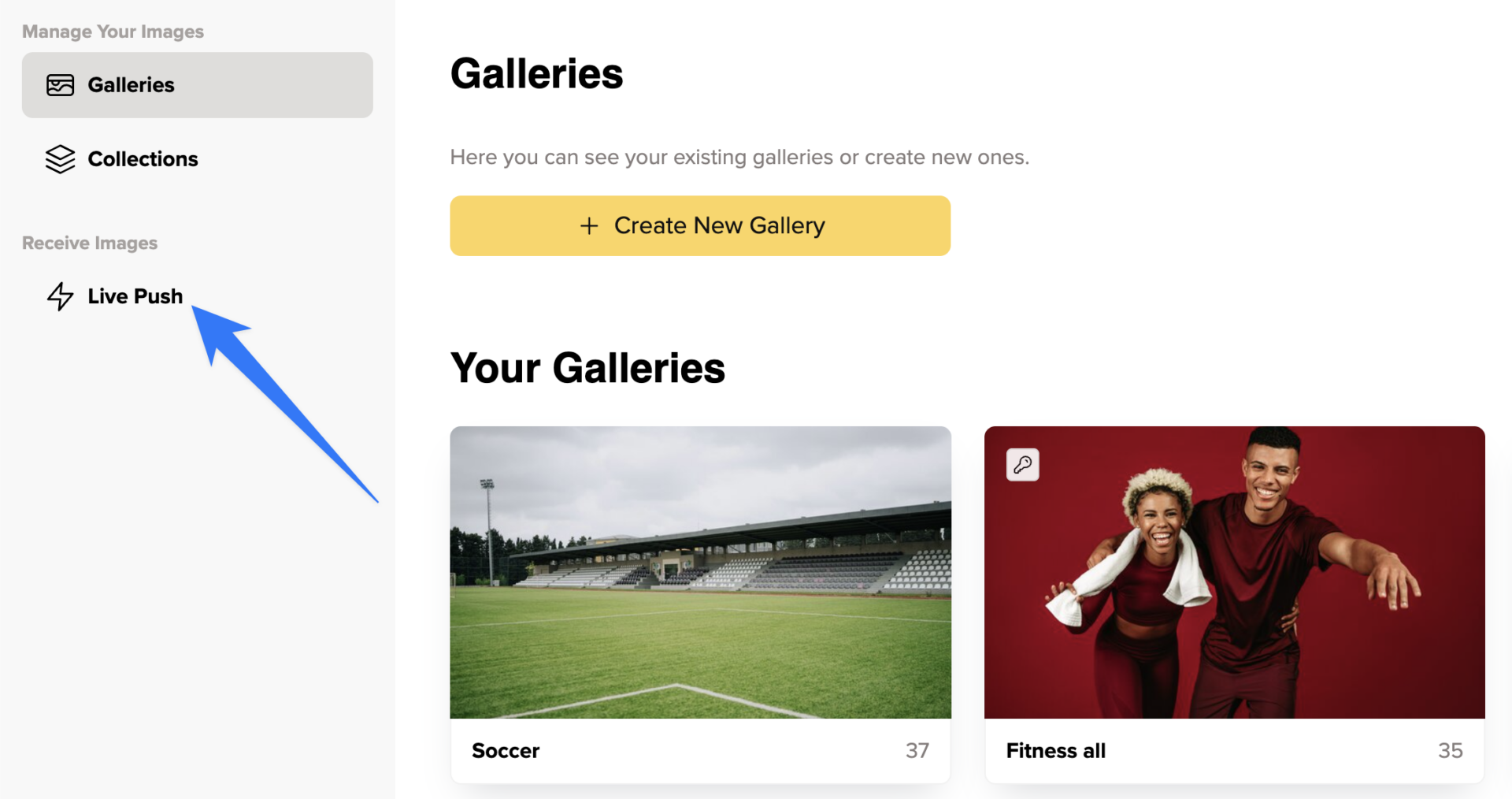
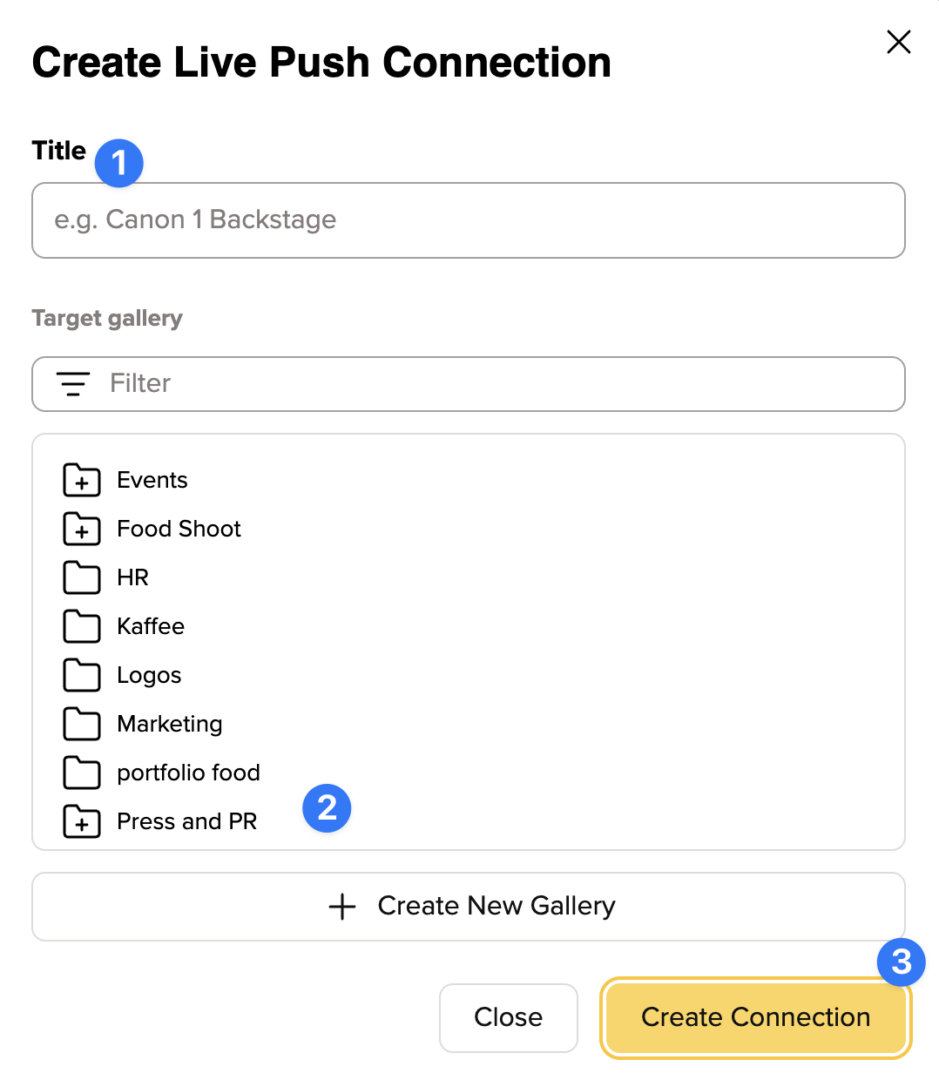
When creating a new connection, you assign a title (1) and select a target gallery (or create a new one, 2) before setting up the connection (3).
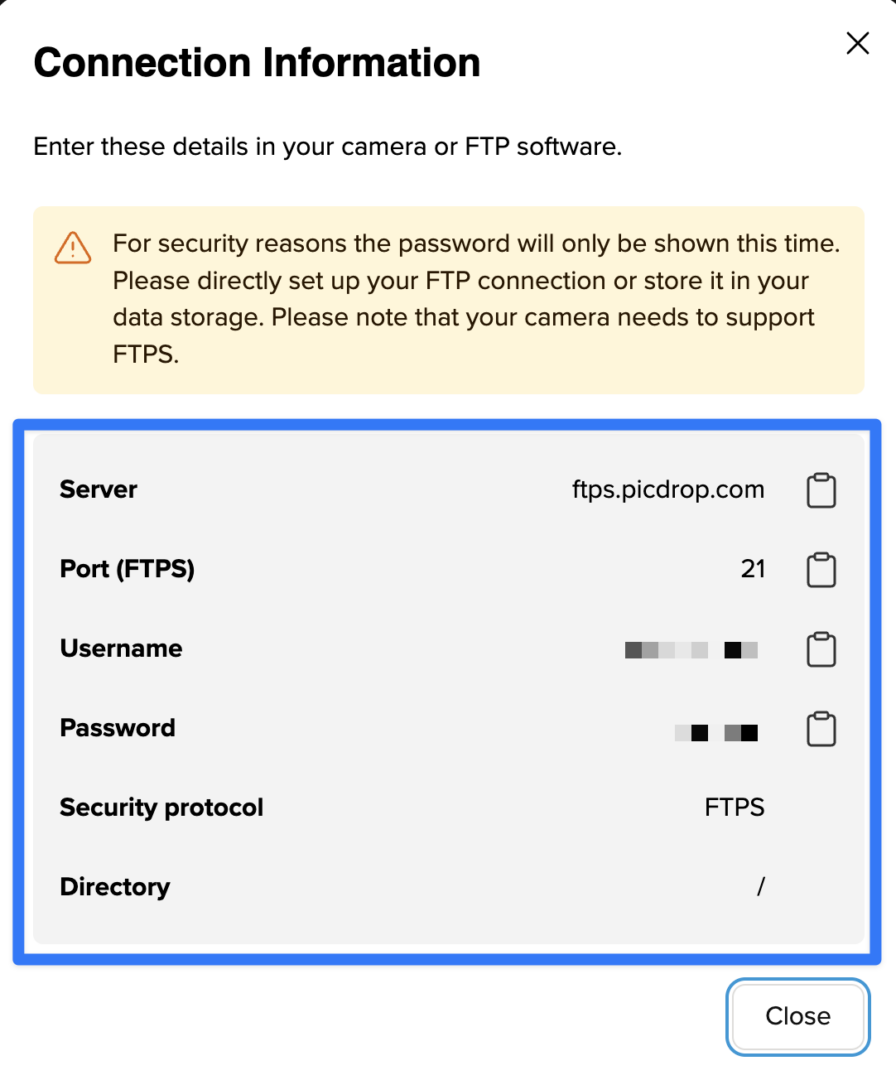
After that, you’ll receive the connection credentials that you or your photographers need for setting up the connection from the camera to the defined picdrop gallery.
You can edit existing connections at any time via the three dots on the right side of each connection.
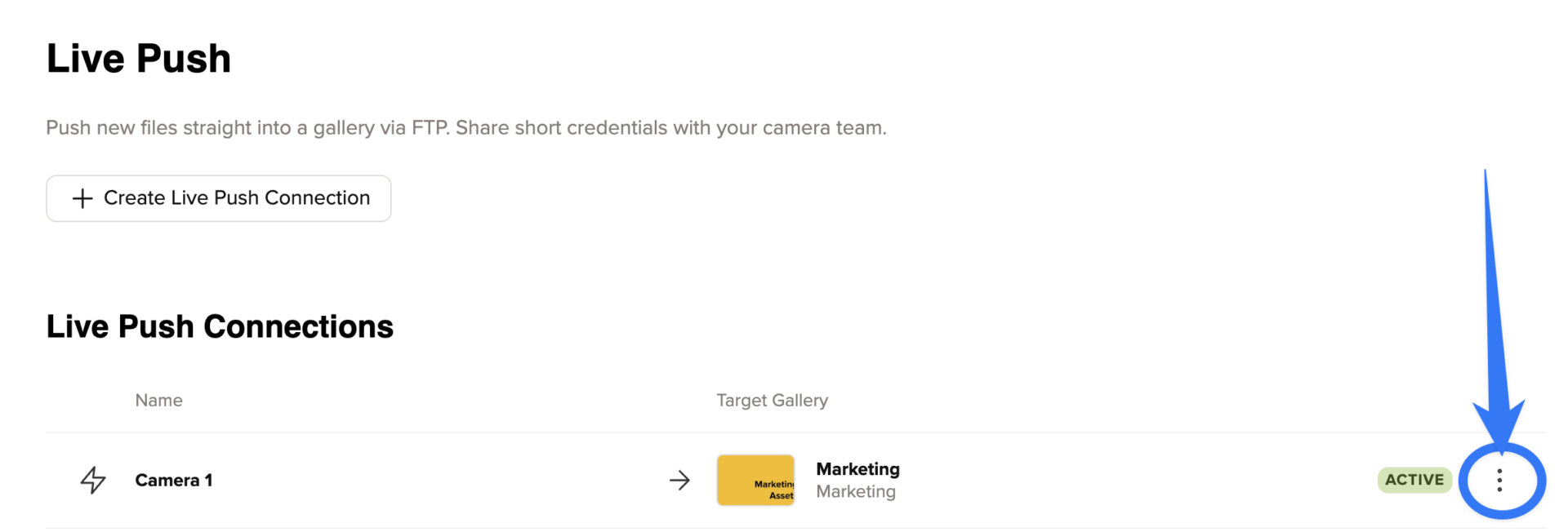
From the menu that appears, you can reset the password, deactivate or delete the connection, view the credentials, or jump straight to the target gallery.
Which plans include the Live Push feature?
Depending on your plan, you get a different number of Live Push connections. The Business plan includes unlimited connections, the Advanced plan has 5 connections and the Pro plan includes one connection. Live Push is not available in our Free plan.
Which cameras can I use with Live Push?
Live Push works with cameras that support FTPS (FTP over SSL).
This includes models such as:
– Canon: EOS R5, EOS R6, EOS-1D X Mark III
– Nikon: Z6 II, Z7 II, D6
– Sony: Alpha 1 (A1), A9 II, A7R V
Setup is done directly in the camera’s network settings.
You can find detailed instructions in the official manuals from the manufacturers:
Canon: https://cam.start.canon
Nikon: https://downloadcenter.nikonimglib.com
Sony: https://www.sony.de/electronics/support/cameras-camcorders
And in various videos, for example:
Canon R5 – https://www.youtube.com/watch?v=AYZdluI-9d8
Nikon Z8 & Z9 – https://www.youtube.com/watch?v=T3rkXeCo-W4
Sony Alpha 1 – https://www.youtube.com/watch?v=RHfU3eklSr0
Please note that the exact steps may vary depending on the camera model. For a reliable use of Live Push, your camera must support FTPS and have a stable internet connection during the shoot.
More Tips:
With picdrop Inbox, you can collect files from clients, service providers, or other freelancers — simply by sharing an Inbox link.
Your Inbox can be found in the left sidebar of your gallery overview. Every account includes a public Inbox (“Public”) by default. This Inbox can be disabled, but not deleted.
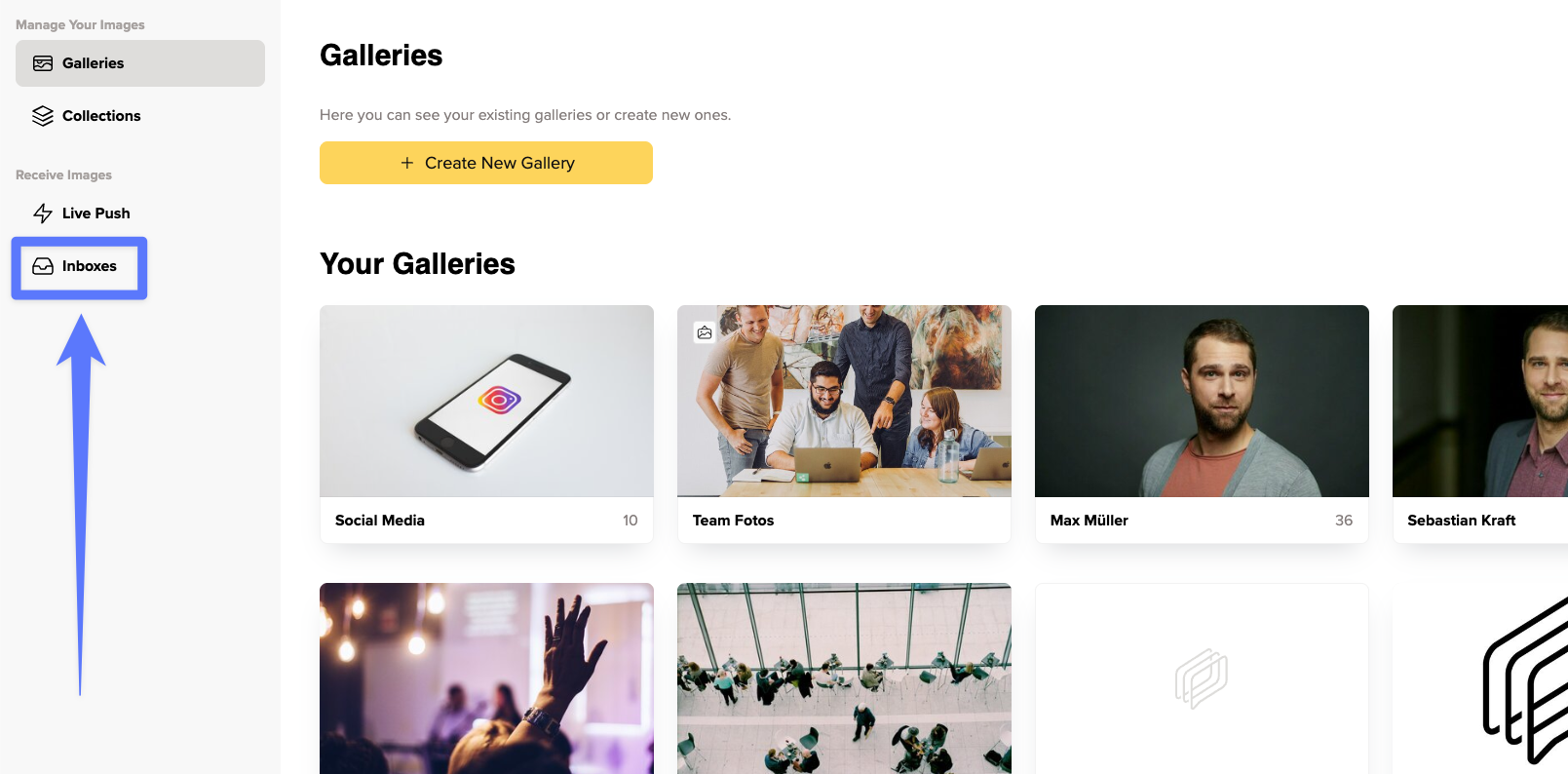
You can also create additional Inboxes for specific shoots, projects, or clients. Simply click “Create New Custom Inbox” to set one up.
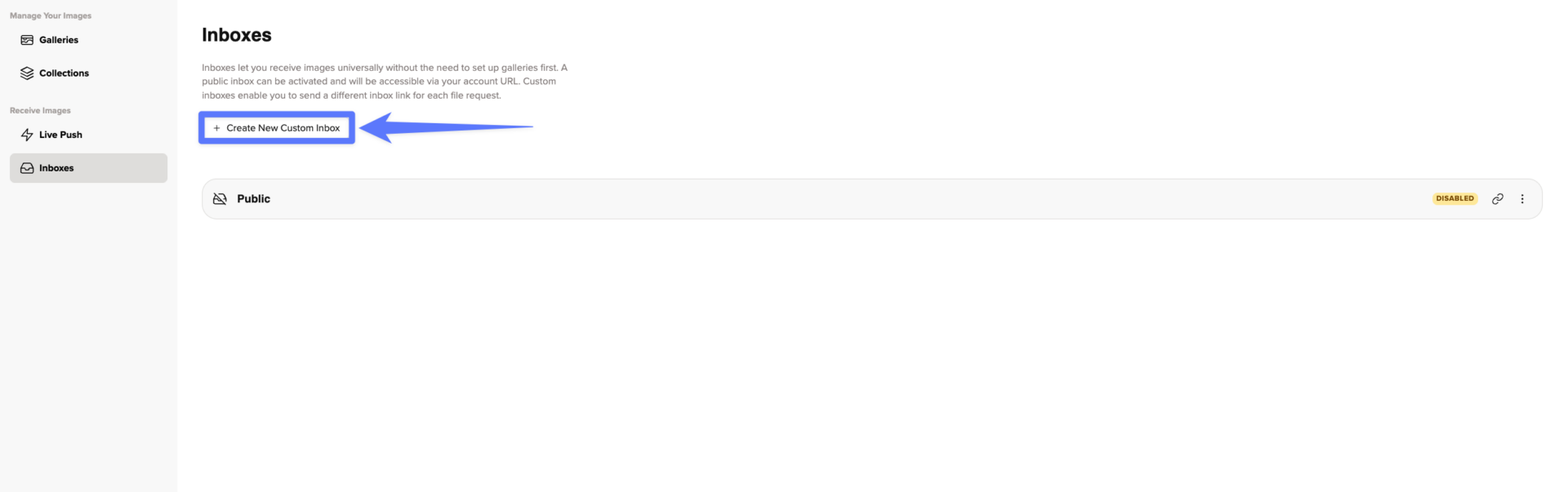
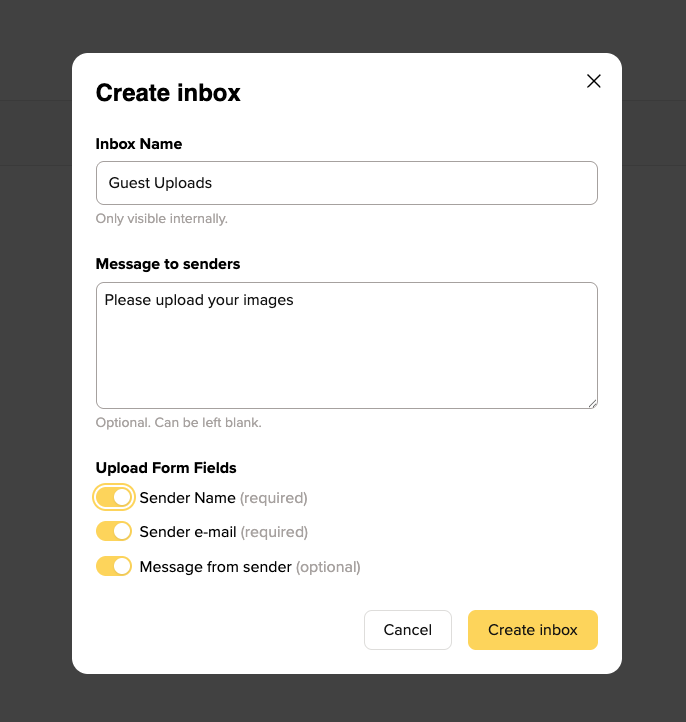
When creating an Inbox, you can configure a name, a personal welcome message and optional required fields for file submissions
For example, you can choose whether people uploading files must provide their name, email address, and/or a message.
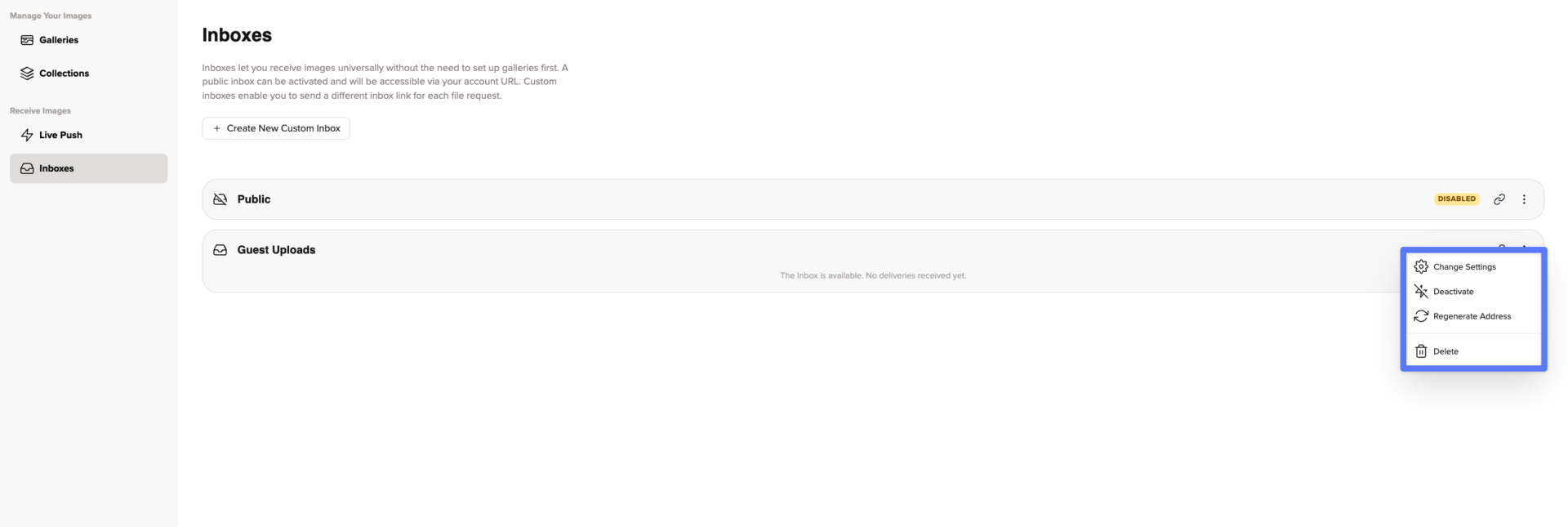
You can change an Inbox’s settings at any time. You can also:
To give someone access to an Inbox, simply copy its link using the button next to the Inbox and send it to them.
This is what the Inbox looks like for people uploading files:
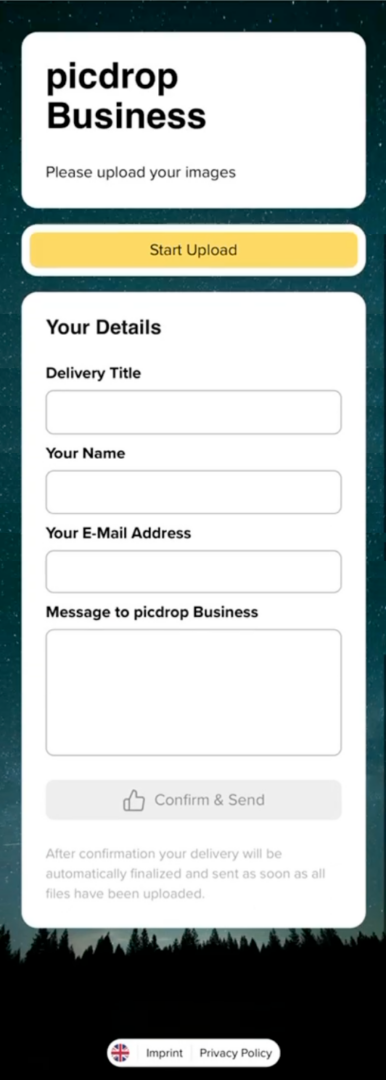
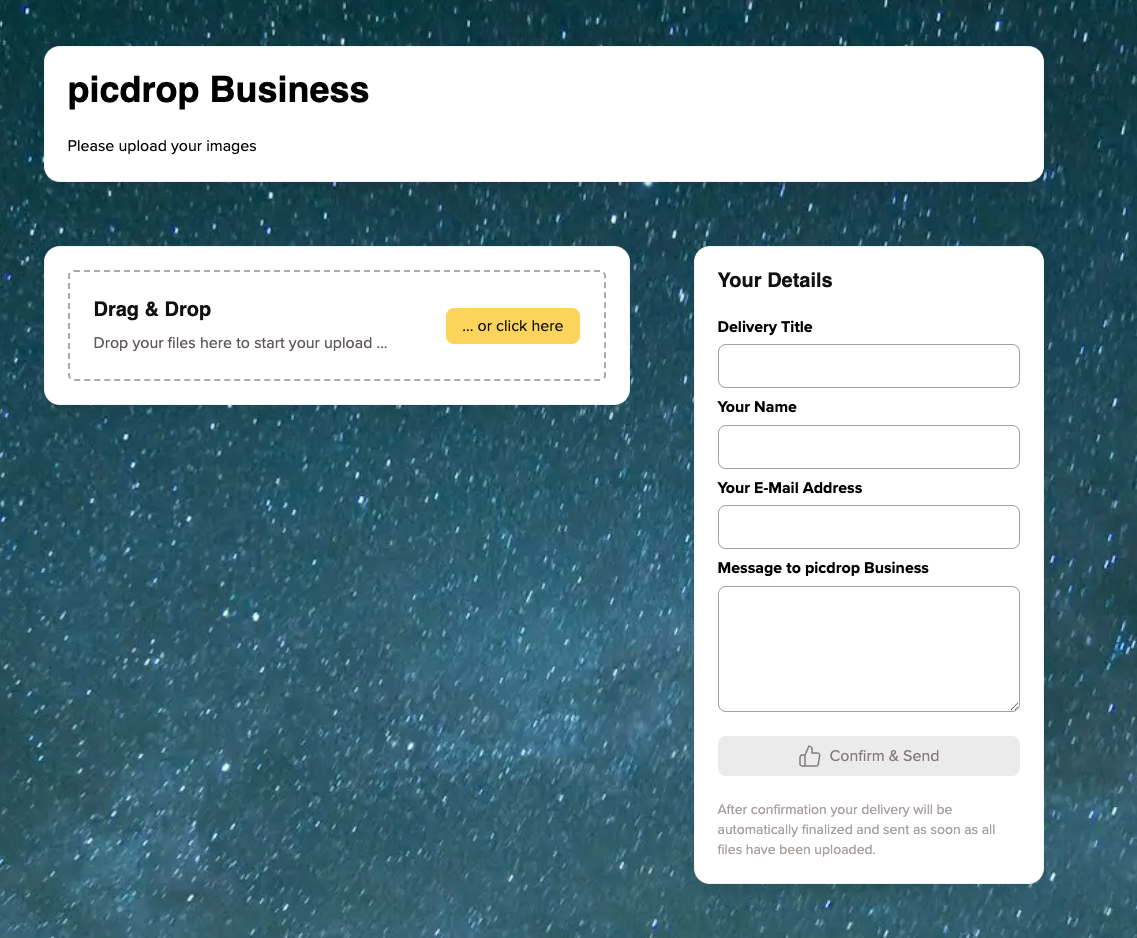
Visitors can then upload their files and submit them directly to your Inbox.
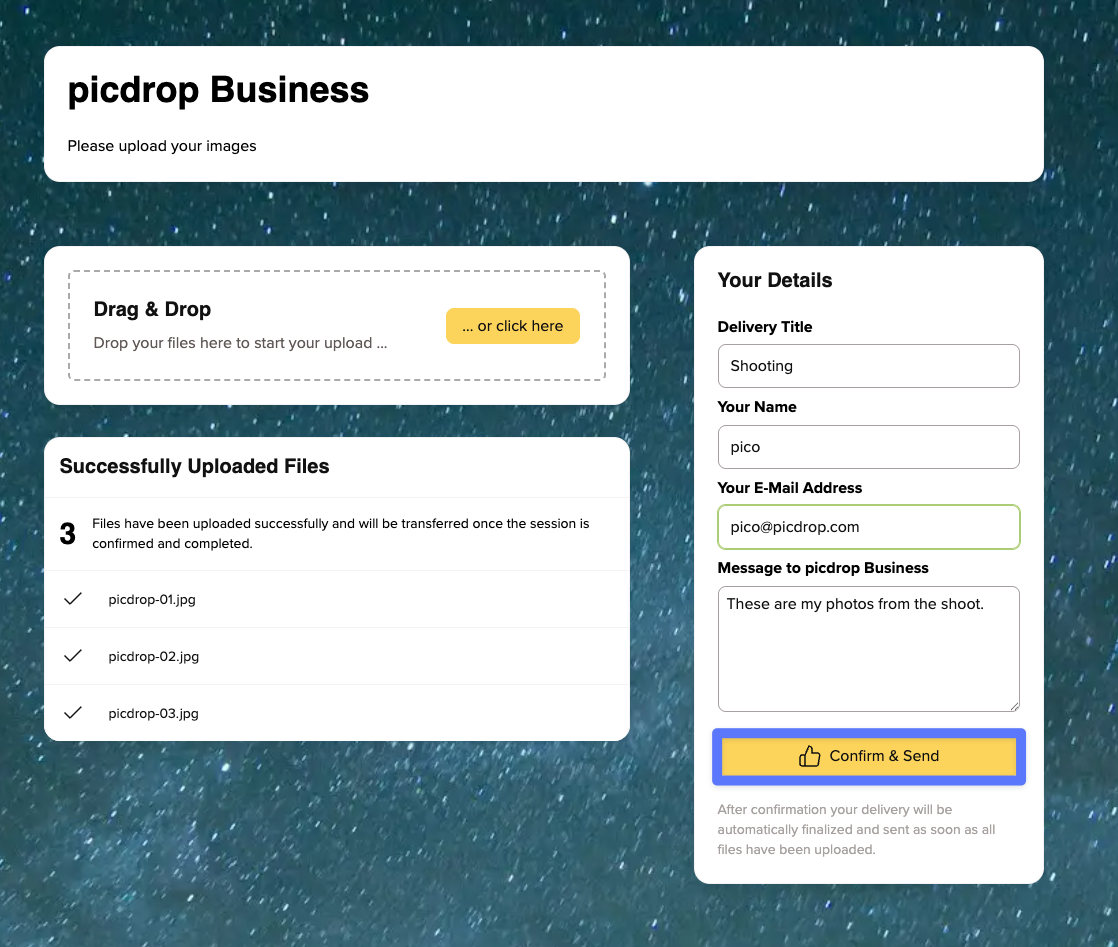
As soon as files are uploaded, you’ll receive an email notification and a number will appear next to the corresponding Inbox.
This number indicates how many open submissions are waiting for review and remains visible until you accept or reject them. To review a submission, open the corresponding Inbox.
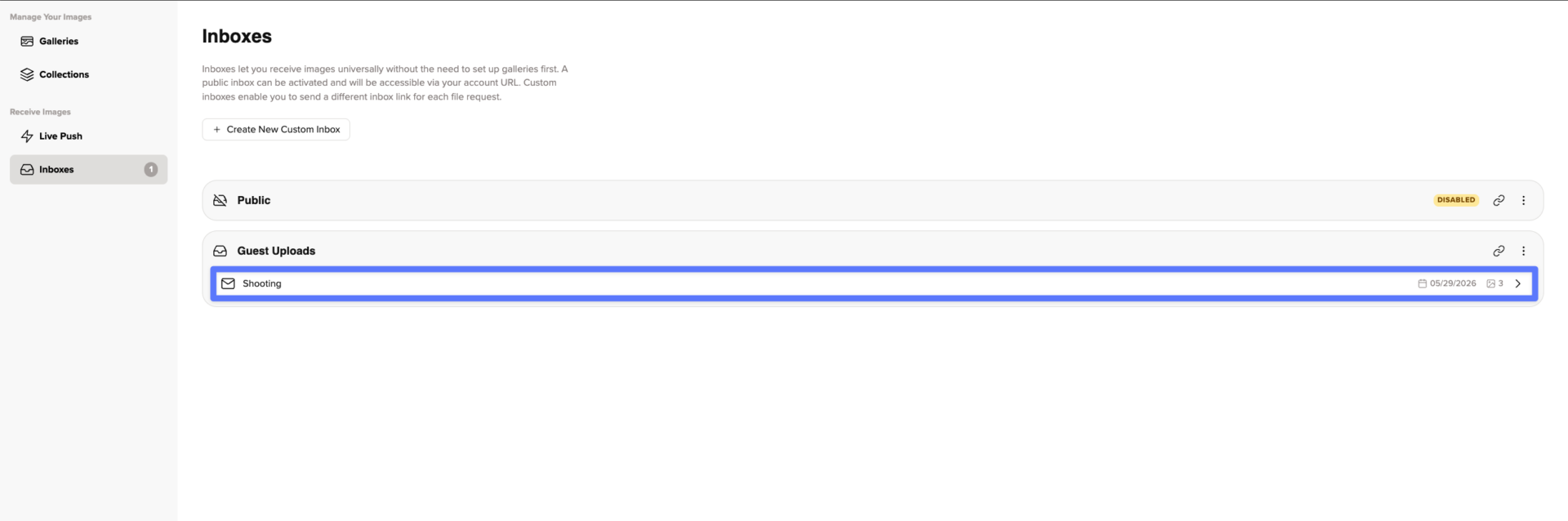
There you’ll find:
You can move submissions from the Inbox into an existing gallery, create a new gallery from them, or reject them.
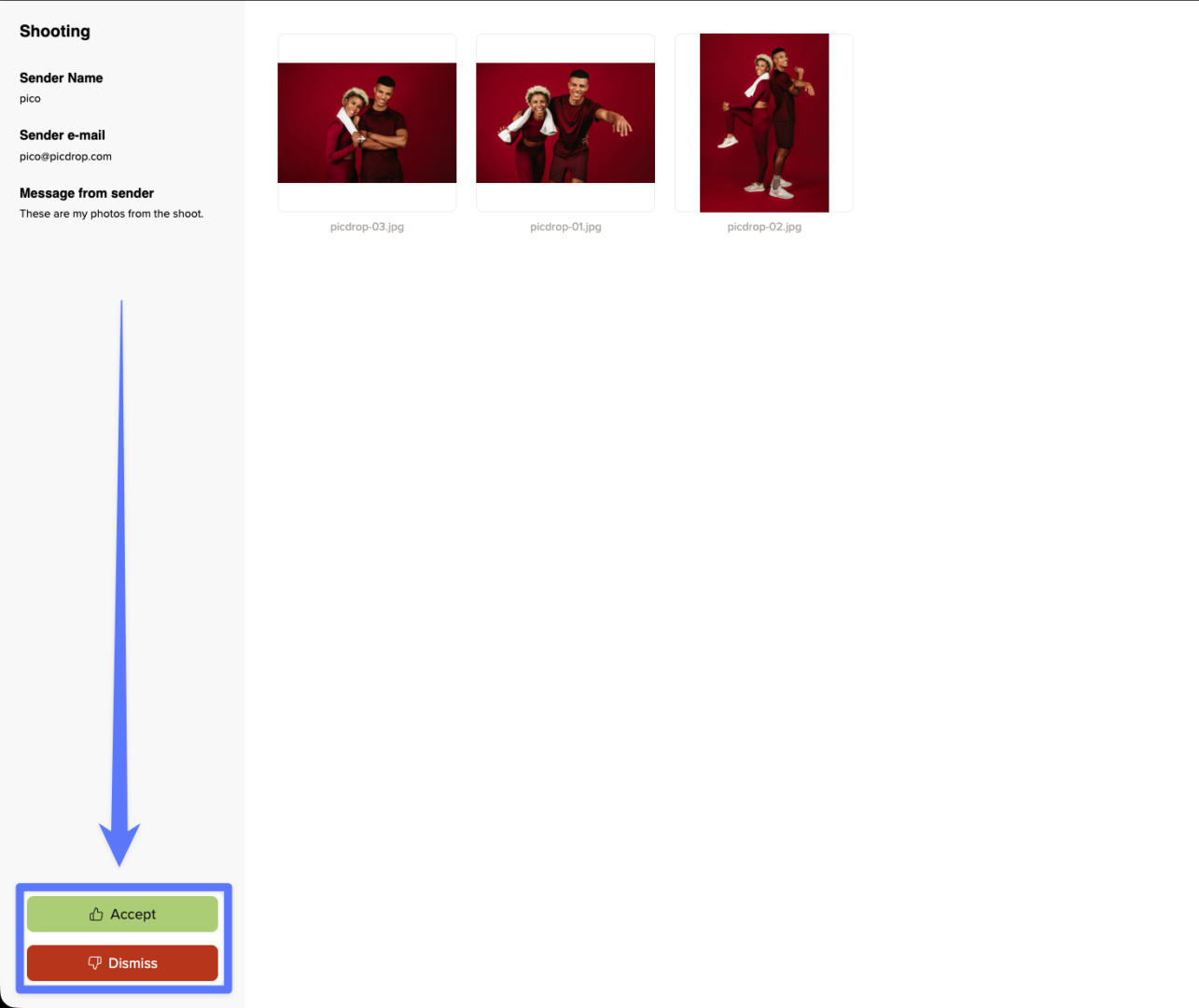
If you reject a submission, all uploaded files will be permanently deleted.
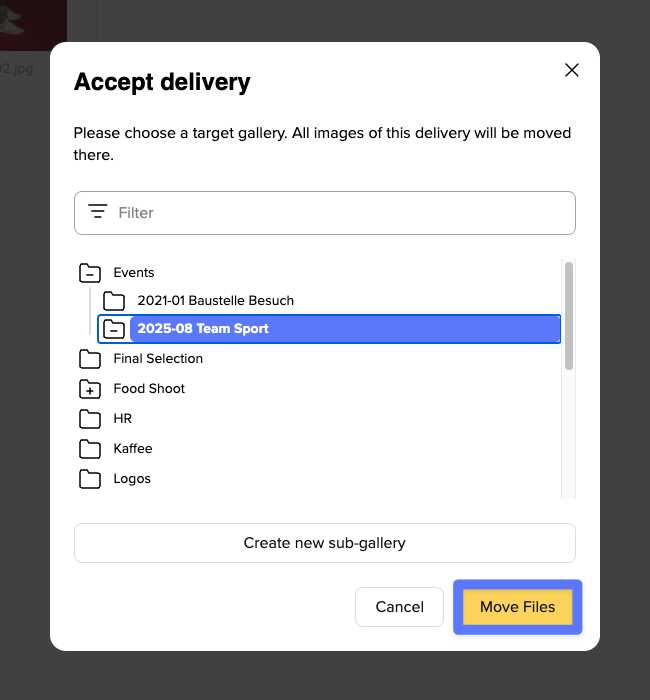
Once files have been accepted and moved into a gallery, the submission disappears from the Inbox and the Inbox becomes empty again.
If you no longer need an Inbox, you can delete it using the three-dot menu.
If a project is only paused, you can simply disable the Inbox and reactivate it later.
Your Inbox is part of your picdrop account and therefore counts toward your available storage.
This means that uploads can only be accepted if they fit within your available storage space.
Files uploaded through Inbox must also be in a format supported by picdrop. For a complete list of supported file types, see our file format FAQ.
Inbox availability depends on your subscription:
Inbox is not available in our Free plan.