

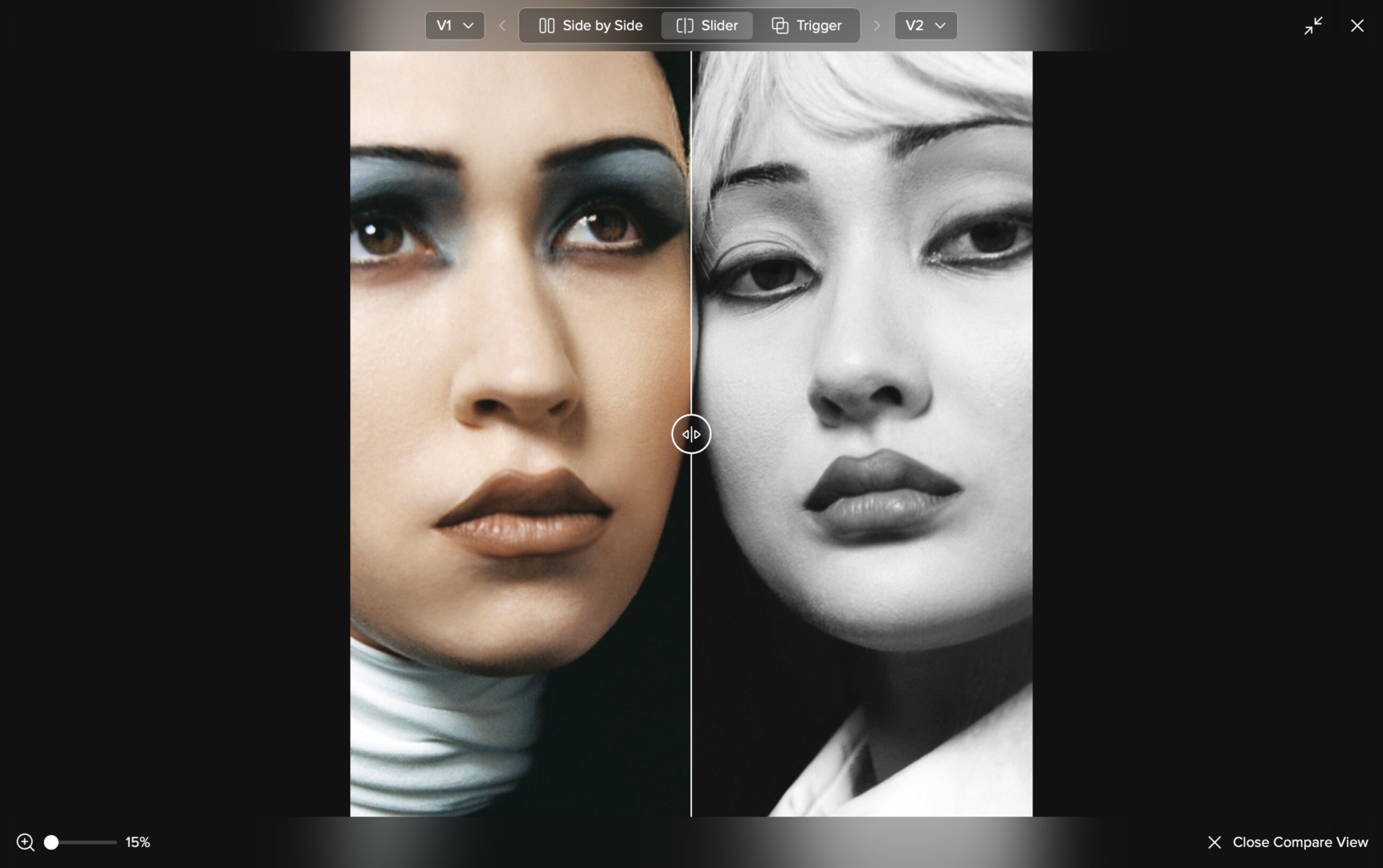
Files are rarely final after the first upload. A photo may be retouched after client feedback. A campaign visual may go through several approval rounds. A brand asset may be updated by an internal team or delivered again by an external partner.
With File Versions, you can now upload a new version of an existing file in picdrop without losing the previous one.
The latest version is always shown automatically in your gallery, while earlier versions stay available in the file’s detailed view. This makes it much easier to keep originals, retouches, corrections, and final files connected in one place.
Why File Versions are useful for photographers
For photographers, File Versions are especially helpful when working with retouches, edits, and client feedback.
Instead of uploading separate files for every correction or replacing an older file completely, you can keep all versions connected to the same file. Your clients can view and compare versions, while downloads always provide the latest version.
That means fewer duplicate files, less confusion, and a clearer overview of every editing step — from the original upload to the final retouched image.
Why File Versions are useful for teams
For teams, agencies, and organizations, File Versions help make visual asset workflows easier to manage.
Whether you use picdrop for campaign material, brand assets, internal approvals, or files delivered by photographers, freelancers, and external partners: updated assets can stay connected to the original file.
This helps everyone understand which version is current, what has changed, and which file should be used next — without creating a messy folder full of duplicates.
How it works
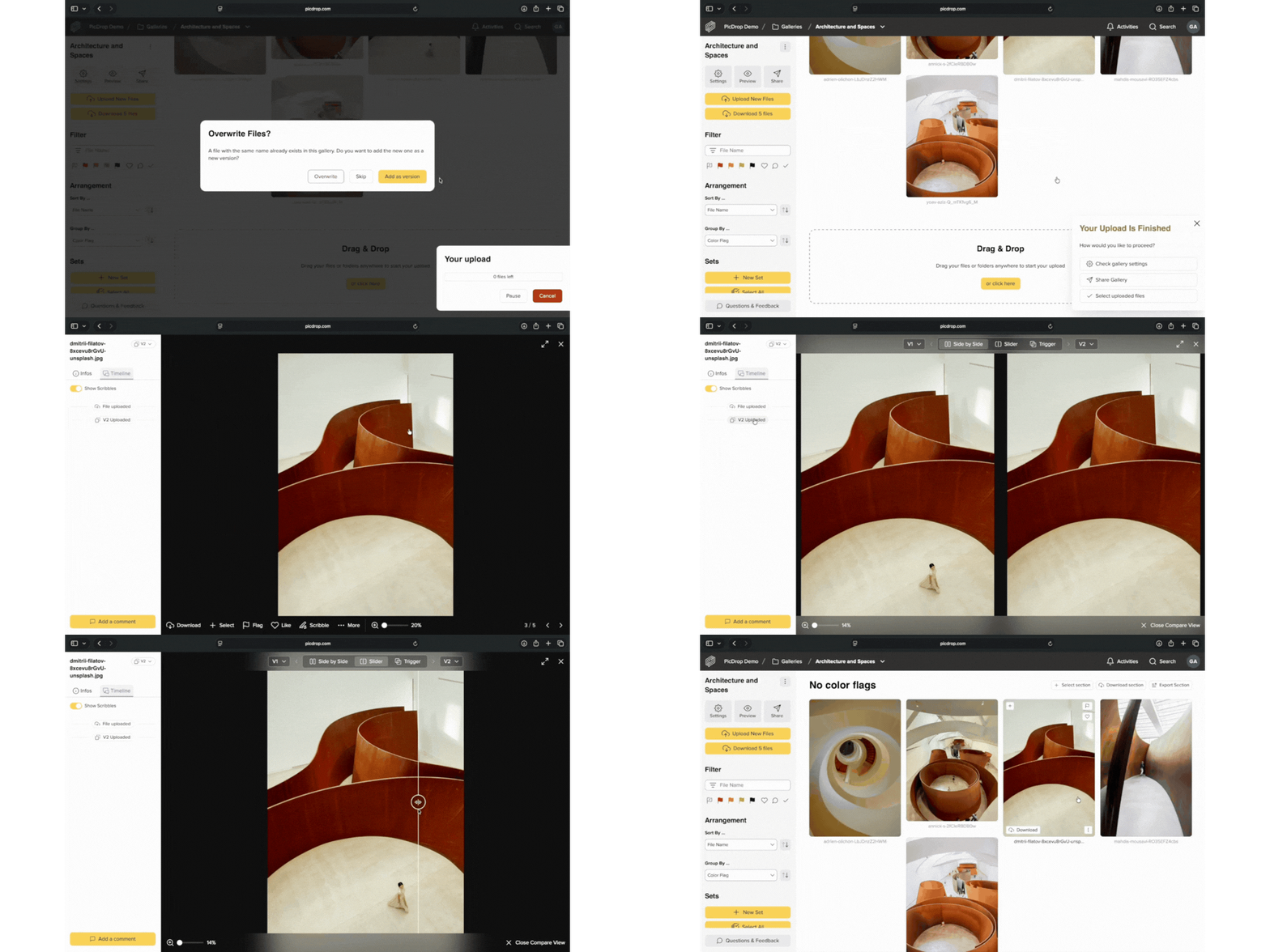
When you upload a file with the exact same filename to the same gallery, picdrop recognizes it and lets you add it as a new version.
You can then find the version history in the file’s detailed view. Depending on your permissions, you can compare image versions, download individual versions, or restore an older version.
Only image files can be previewed and compared visually. Videos, PDFs, and other file types can have versions too, but without visual previews or comparisons.
Good to know
File Versions count toward your storage because every uploaded version is stored in your gallery.
You can disable File Versions in your account settings without deleting existing versions. They will be hidden and become visible again if you enable the feature later.
To free up storage, you can permanently delete older versions in your account settings. The current version of each file will be kept.
File Versions are available in Pro, Advanced, Business, and Enterprise plans.
You can find all details in our FAQ. Questions or feedback? Write to us anytime at hello@picdrop.com. We’re happy to help.
Here’s to smoother reviews, clearer approvals, and fewer duplicate files.