

Choosing the right photo sharing tool as a professional photographer can feel overwhelming, but understanding which features matter most and what each platform offers can help narrow down your options.
We’ve reviewed the top photo sharing tools for professional photographers and creative teams to help you find the right fit. Whether you’re a freelance photographer, part of a photography studio, or working in a creative team, these photo delivery apps can simplify file transfers, boost team collaboration, and keep clients delighted with a seamless photo sharing system.
Let’s explore some of the leading photo sharing tools for professional photographers, including picdrop, and compare their features, usability, and pricing.
What Are the Must-Have Features in a Photo Sharing Tool for Professional Photographers?
Today’s online galleries and photo sharing tools offer a wide range of features, but not all are suited to professional photography workflows. Before we dive into our list, it’s worth highlighting the essential features that make a photo sharing and delivery tool truly effective for professional photographers and photography studios.
1. In-gallery photo selection
In-gallery photo selection speeds up photo culling and makes the process much more intuitive. Clients and collaborators can easily flag or “like” their preferred images. For shoots involving multiple stakeholders, a voting system can streamline the photo selection process.
2. Visual feedback and annotation
Clear feedback makes the editing process simpler, more transparent, and less stressful. In-image annotations and comments allow photographers, art directors, and clients to show exactly what needs to be adjusted, whether that is color correction, retouching, or composition tweaks.
3. Integration with photo editing software
Exporting photos one by one to Adobe Lightroom, Photoshop, or other photo editing tools can be time-consuming. That’s why the best photo sharing apps for creatives offer seamless integration with popular photo editing software, saving time and keeping your workflow smooth.
4. Real-time updates
Knowing immediately when clients or team members have completed selections or provided feedback allows photographers and creative teams to act quickly. Real-time notifications ensure projects stay on schedule and meet deadlines.
5. High-resolution image delivery
Resizing or converting images manually adds unnecessary steps to your workflow. A reliable photo sharing tool should allow uploading and downloading photos in popular formats (TIFF, RAW, JPEG) or resolution, eliminating bottlenecks and ensuring quality isn’t compromised.
5 Best Photo Sharing Tools for Professional Photographers
1. picdrop: Best Photo Sharing Tool for Professional Photographers
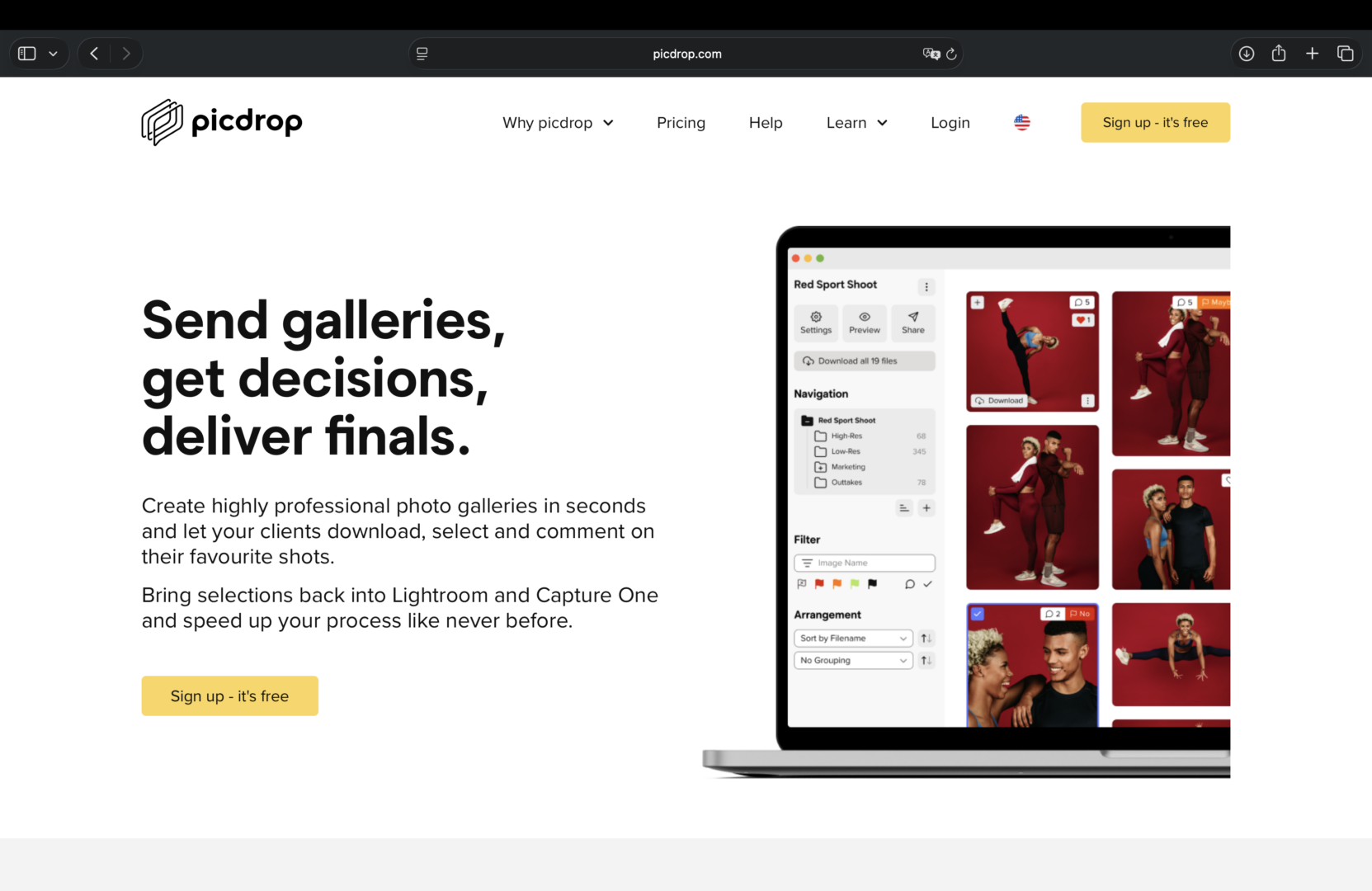
picdrop is a leading photo-sharing app for professional photographers that helps streamline client workflows and improve collaboration.
Coordinating selections and feedback between photographers, clients, and photo editors often means juggling between emails and the photo gallery. picdrop centralizes the entire process. Teams and clients can flag favorites, annotate images, and leave notes directly on the photo gallery, giving photographers and editors clear guidance from the start.
Clients can quickly select their favorite photos using picdrop’s voting and “like” system. On-image comments also make it easy for photographers and clients to provide precise feedback. This ensures photographers know exactly which images clients prefer and which adjustments are needed. With seamless Lightroom and Capture One integrations, selected images can be pulled directly into the photo editing software, speeding up workflow and reducing errors.
These features make picdrop one of the best photo sharing and collaboration tools for professional photographers and creative teams.
Pros of picdrop’s Photo Sharing Apps
- Visual feedback and annotation: Clients and collaborators can leave actionable feedback, reducing stress and streamlining communication throughout the editing process.
- Editable galleries for multiple photo deliveries: add, remove, or update images without generating new links, making it one of the most reliable photo delivery apps for studios. See how picdrop compares to WeTransfer and Dropbox.
- Real-time notifications: know instantly when photo selections or feedback are completed, keeping projects on schedule.
- Secure photo galleries with password and watermark protection: ensure client files remain private while maintaining professional delivery standards.
- Support multiple photo and video file formats: picdrop works with RAW, PSD, TIFF, MP4, and more, making it a versatile tool for creative teams.
- Integration with popular photo editing software: sync seamlessly with Adobe Lightroom and Capture One to speed up photo editing and delivery.
Pricing of picdrop
- picdrop’s free plan: suitable for professional photographers who want to try the platform or manage occasional projects.
- Pro plan: $15.99 per month for freelance photographers, photo editors, and creatives who need professional galleries, proofing tools, and client delivery features.
- Advanced plan: $47.49 per month for photo editing studios and small creative teams that need shared storage, multiple team accounts, and more advanced collaboration tools.
- Business plan: $117.99 per month for larger photo editing teams and companies that need additional storage, flexible permissions, and greater control over their workflows.
- Enterprise plan: custom pricing for large organizations with specific security, support, and scalability requirements.
2. Lightfolio: Best for Image Management
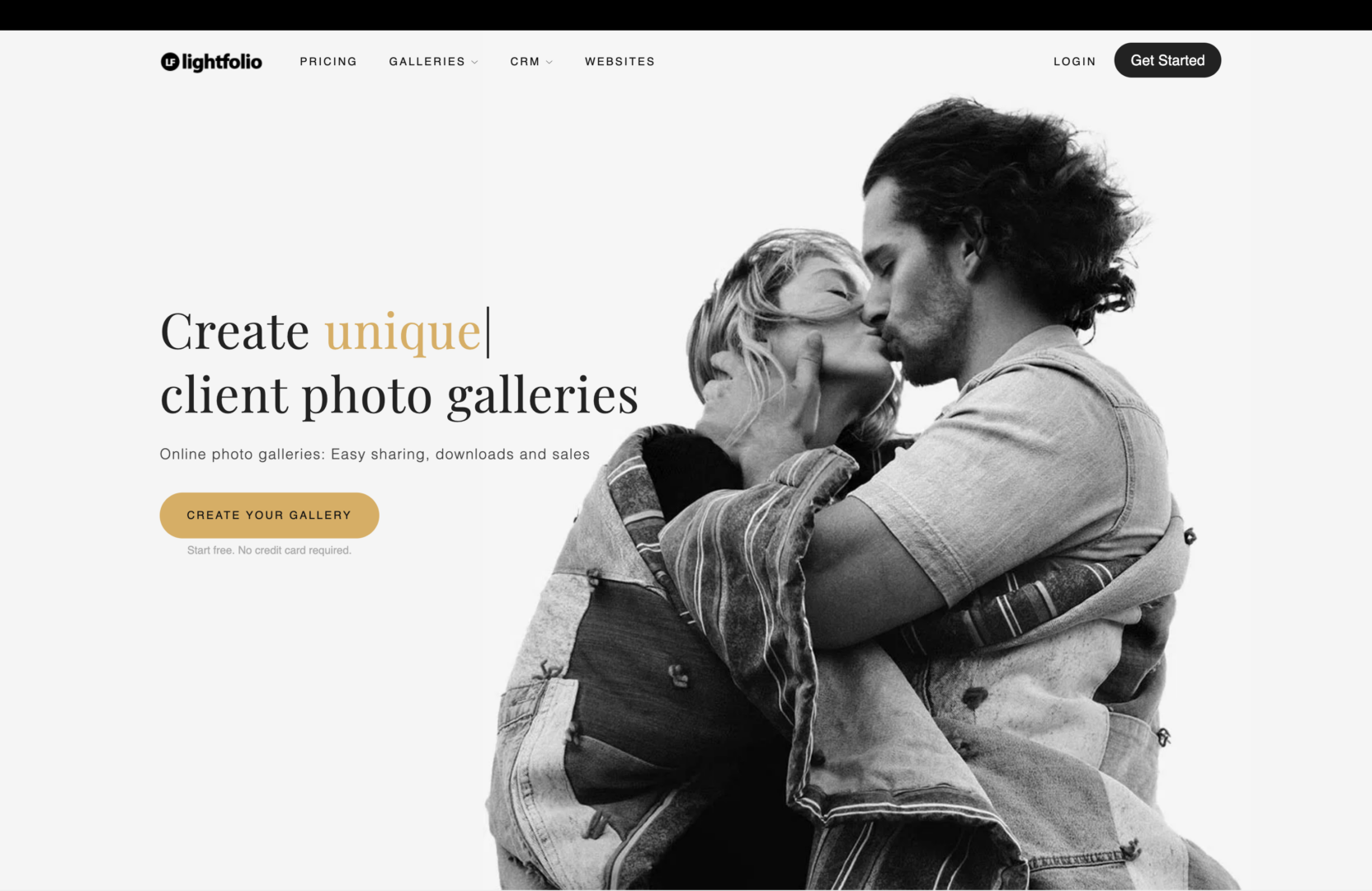
For studios and freelance photographers who need precise control over file access and management, Lightfolio delivers the flexibility you need. You can customize download permissions to control how clients and team members access full-resolution images, low-resolution previews, or select files within a gallery. This level of control is ideal for professional workflows that demand careful handling of copyright, image quality, and client deliverables.
Features like download notifications and gallery analytics also allow photographers to track client engagement, monitor which images are being accessed, and even see where and how often galleries are viewed.
Pros of Lightfolio
- Get notifications for successful image downloads.
- Track how many times galleries are viewed and where clients access them.
- Offer various pre-designed gallery templates.
Cons of Lightfolio
- Some users on Reddit report limited customer support.
- A separate user report notes that certain gallery features, such as “Client Help,” may not always work as expected.
- Some Capterra reviews also mention billing issues.
Pricing of Lightfolio
- Free plan
- Paid plans: starting at $7 per month.
3. Pixpa: Best for Intuitive Photo Sharing

Photographers and creative teams often need to share previews of their work with clients or stakeholders before delivering the final images. Pixpa makes this easy by allowing you to create a mobile gallery app that highlights selected photos from a shoot. Think of it as a sneak peek, giving clients a quick, visually appealing view of your edits.
The setup takes just a few minutes, and you can share the app link via email or SMS, making it ideal for editors who need fast delivery without waiting for large file transfers or traditional galleries.
Pros of Pixpa
- Gallery app with social media sharing.
- Branded galleries with customizable layouts, fonts, and colors.
- Offer some photo proofing and approval features.
Cons of Pixpa
- Some G2 reviews mention that certain features do not always work as expected.
- Other G2 reviews note that the photo gallery design options can feel limited.
Pricing of Pixpa
- Free plan
- Paid plans: starting from $12 per month.
4. PhotoShelter: Best for Its Workflow Integrations

PhotoShelter integrates with popular Adobe software such as Lightroom and Premiere Pro, helping photographers maintain a connected, efficient workflow. It also supports file transfer through Box and Dropbox, and integrates with Slack for real-time notifications and updates.
Pros of PhotoShelter
- 30+ integration options with creative and communication tools.
- In-depth analytics on gallery performance.
- PhotoShelter Workspaces, a built-in space for collaboration with internal or external stakeholders.
Cons of PhotoShelter
- Some G2 reviews suggest that the workspace feature could better support collaboration between multiple users.
- Other G2 reviews mention a steep learning curve for gallery organization and permission settings.
Pricing of PhotoShelter
Pricing information is not listed. You’ll need to contact the team for a quote.
5. Zenfolio: Best for Cloud Media Storage and Management

Zenfolio is a strong choice for photographers who need organized file management and streamlined workflows. It supports custom tagging and labeling, making it easy to search and manage large libraries of photos and videos efficiently.
Zenfolio also offers secure cloud-based media storage, ensuring projects remain accessible and backed up at all times. Users can also customize gallery access settings, control who can comment, download, favorite, or share images, and manage permissions with ease.
Pros of Zenfolio
- Designed for photo and video storage, supporting file types like JPG, PNG, HEIC, MP4, and MOV.
- Cloud-based file management for quick access and reliable backup.
- Flexible permission controls for viewing, commenting, and downloading.
- Custom tags to simplify file organization and search.
Cons of Zenfolio
- One Reddit user reported that photos and galleries are automatically archived, which can limit access to older projects.
- Another Reddit user described poor customer support, including delayed responses and unresolved issues.
Pricing of Zenfolio
- No free plan available.
- Paid plans: start at $7 per month.
TL;DR: Comparison of Photo Sharing Software for Photographers
Here’s how each photo delivery app stacks up.
| Photo sharing tool | Who it is for | Top features | Starting price |
|---|---|---|---|
| picdrop | Photographers and creative teams looking for an all-in-one photo proofing and photo sharing solution |
|
$15.99 per month. Free plan available. |
| Lightfolio | Teams needing precise gallery access control |
|
$7 per month. Free plan available. |
| Pixpa | Teams needing mobile gallery previews |
|
$12 per month. Free plan available. |
| PhotoShelter | Teams seeking workflow integration |
|
Pricing on request |
| Zenfolio | Teams prioritizing cloud media storage and file management |
|
$7 per month. No free plan available. |
Why is picdrop the Best Photo Sharing App for Creative Teams?
picdrop stands out as one of the best photo sharing apps for creative teams and photographers because it lets you collaborate and transfer files to clients and teams from a single platform.
The picdrop flagging feature helps clients select their favorite photos while making it easier for photographers to filter and manage them. Its Lightroom integration allows you to export file names directly for editing, saving time and eliminating manual work.
picdrop also provides individual image comments and annotations, along with real-time updates, all centralized within the platform. This ensures clear, efficient communication between clients, photographers, and photo editors, reducing multiple rounds of back-and-forth and keeping projects on track.
Photo Sharing Made Easy With picdrop for Photographers
Every photo editor has different priorities when choosing a photo sharing app. Freelancers may value cost-effective features and client proofing, while photographers who work at editing studios might need integrations and advanced file management. By understanding what matters most in a photo sharing tool, you can choose the right platform to streamline your workflow.
picdrop is one option that covers client collaboration, approvals, and photo sharing. This enables any photographers and creative teams to work effectively and meet the project deadlines. Start using picdrop today to simplify your photo delivery.
FAQs About Online Photo Sharing Tools for Editing Studios
picdrop vs. Pixiset: Which is Better for Photographers?
Depending on your photo editing needs, picdrop may be a better fit than Pixieset. picdrop is built specifically for photo sharing and proofing, giving editors a focused tool for managing client galleries and feedback. Pixieset, by contrast, includes website building and e-commerce features that many editors may not need. This makes picdrop a more cost-effective and specialized alternative to Pixieset, providing the essential tools for photo sharing, annotations, and image management without unnecessary extras.
How Does picdrop’s Lightroom and Capture One Integration Help Photographers Streamline Their Workflow?
picdrop’s Lightroom and Capture One integration transfers client-selected images (file-name exports) directly into the editing software. This integration speeds up the workflow, reduces manual steps and errors, and keeps edits aligned with client feedback.
Why Should Freelance Photographers Choose picdrop Photo Sharing Software?
picdrop’s forever-free plan gives freelance photographers access to premium features like client collaboration and proofing, including comments, color markers, votes, and likes for photo selection. This allows freelancers to save money while streamlining their workflow and delivering a polished, client-ready experience.