
NEW: Enhanced Activity Notifications

See what happens in your galleries - all in one place
So we’ve heard that it can be difficult to figure out what happens to your galleries after you shared the link with your clients. That’s why we’ve just completely overhauled our notifications system!
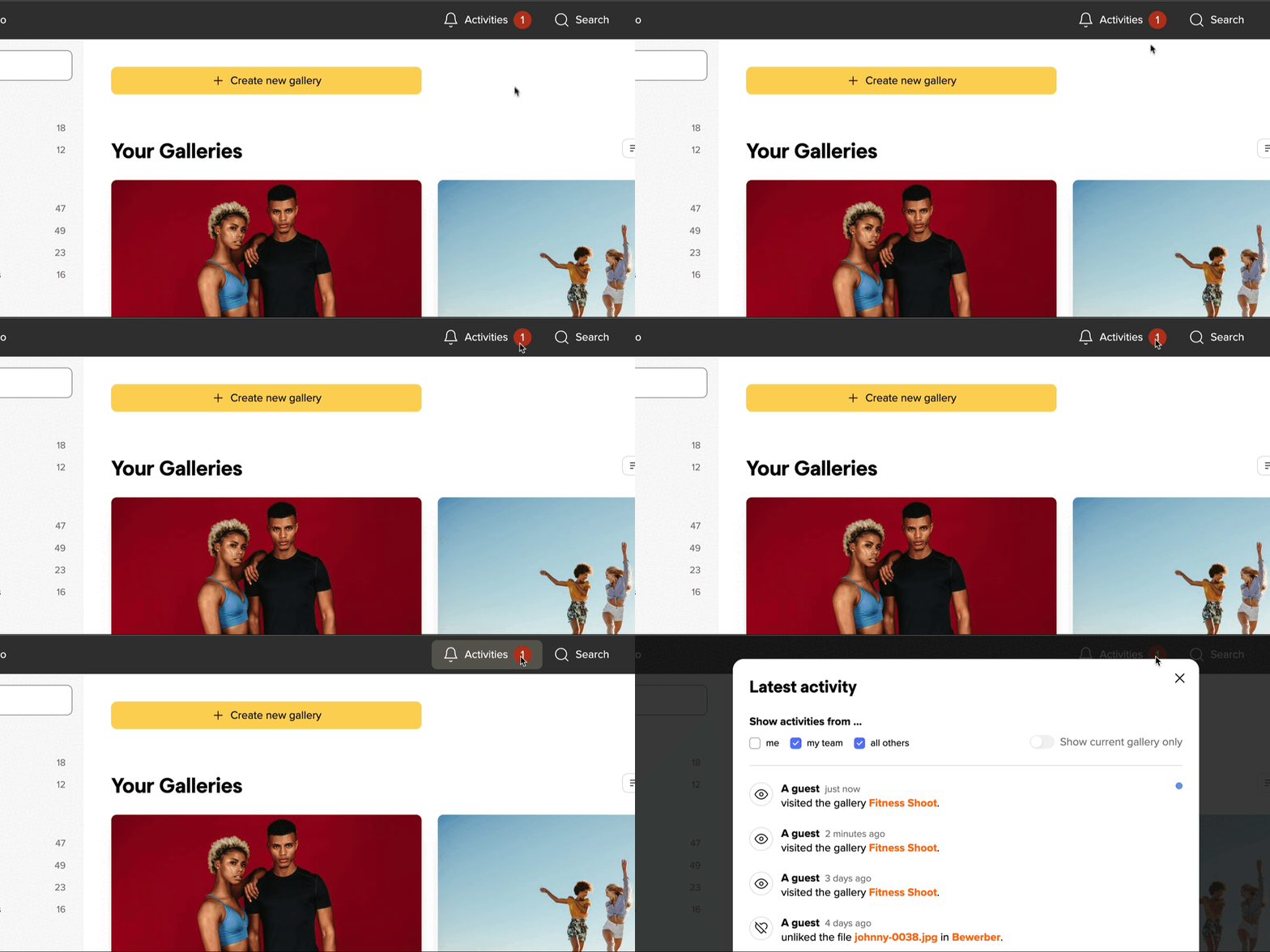
A user clicks the Create new gallery button on a website, opening a pop-up window with the message Gallery created successfully! and an option to add a title to the new gallery.

What's new?

You will from now on be alerted by the red dot in the header bar whenever someone views a gallery, downloads images or votes on an image.

In addition, you can now also:

  • filter and view your own activities or the activities of your team.
  • get live notifications across your entire picdrop in one place. No need to click through all your galleries.
  • get live notifications also in mobile view.

Plus, the activity notifications pop-up also has a much clearer layout.

Have a look!

New to picdrop?

Find out how it can improve your workflow. The first month is on us, no credit card required.

Share the Post:

The next step

We hope you learned something new and wish you great success with finding new clients. Make a great first impression and simplify feedback by using picdrop for image proofing and delivery!

Related Articles

Select images for your portfolio and learn how to create strong photo series that present your photography in a compelling, professional way.
Why You Shouldn’t Photograph Everything—and How to Create Images That Move People Instead of Overwhelming Them.
Why you shouldn’t photograph everything — and how to create images that move people instead of overwhelming them